Menus & Operations
QR Code Menu vs Printed Menu: What Should Pakistani Restaurants Use in 2026?
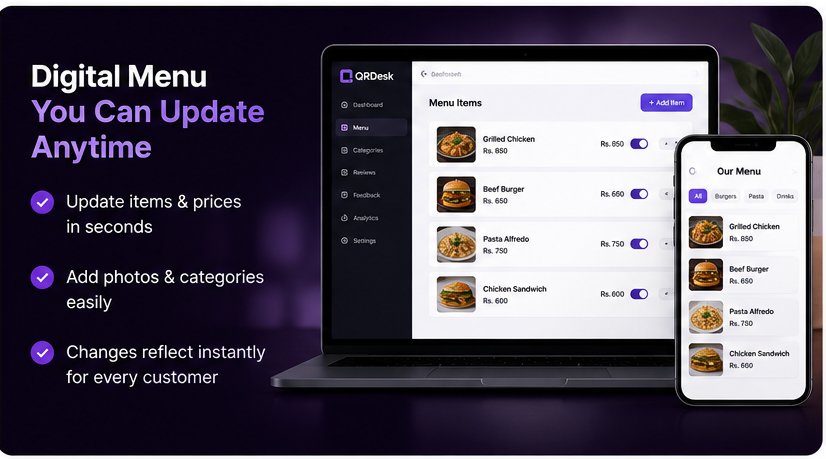
For most Pakistani restaurants, the best choice is a hybrid setup: use a live QR menu as the primary, always-current menu and keep a small number of clean printed menus for customers who prefer them or cannot scan.
This is not a one-sided pitch for QR menus. Printed menus have real advantages, and many restaurants in Pakistan still serve customers perfectly well with them.
But restaurants now change prices more frequently, promote seasonal dishes, serve customers across different age groups and need faster ways to keep information accurate. The right choice depends on how your restaurant actually operates.
QR Menu vs Printed Menu: Quick Comparison
| Factor | QR code menu | Printed menu |
|---|---|---|
| Price updates | Instant, without changing the QR code | Requires editing and reprinting |
| Customer access | Requires a smartphone and usable internet | Works immediately for almost everyone |
| Food photos | Easy to add or replace | Limited by space and printing cost |
| Out-of-stock items | Can be hidden or marked unavailable | Staff must explain verbally |
| Cleaning | Only the QR stand needs cleaning | Every physical menu needs cleaning |
| Long-term cost | Monthly service plus optional QR stands | Repeated design, printing and lamination |
| Best use | Fast-changing, visual or multi-branch menus | Stable menus and customers who prefer paper |
1. Cost Over Time
A printed menu can look like a one-time expense, but the real cost includes design changes, printing, lamination, damaged copies and future reprints. When prices change or a dish is removed, outdated copies can also create confusion at the table.
A QR menu normally has a monthly service cost and may require printed table stands. Its advantage is that the restaurant can keep using the same QR code while updating dishes, prices and photos.
A useful way to compare them is:
Printed menu cost = design + printing × number of copies × number of reprints
QR menu cost = setup or table stands + monthly service
If your menu rarely changes, printed copies may remain economical. If prices, availability or seasonal dishes change frequently, a QR menu can reduce repeated work and printing.
2. Customer Age, Comfort and Accessibility
This is the part QR-menu sellers sometimes ignore: not every customer wants to scan a code.
Older customers, people without mobile data, customers with low battery and families who want to discuss dishes together may prefer a physical menu. Traditional restaurants, dhabas, wedding venues and family dining businesses should keep this in mind.
On the other hand, many younger and smartphone-comfortable customers are happy to scan—especially when the menu loads quickly, uses readable text and does not require an app or account.
A good QR menu should:
- Open directly in the mobile browser
- Load quickly on ordinary mobile internet
- Use readable text and clear categories
- Avoid forcing customers to sign up
- Show current prices and availability
3. Speed of Menu Updates
If you run seasonal items, a lunch-only menu, special platters or different weekday and weekend offers, a QR menu has a clear operational advantage.
Your team can update the live menu without replacing the QR code already printed on the tables. This reduces the awkward situation where a customer selects an item that is unavailable or sees an old price.
Printed menus work best when the menu and prices remain stable for long periods.
4. Internet and Power Limitations
A digital menu depends on the customer's phone, mobile data or restaurant Wi-Fi, and a working website. Slow loading or poor signal can turn a convenient experience into frustration.
Restaurants using QR menus should therefore keep the page lightweight and maintain a few printed menus as backup. Staff should also know where those copies are instead of leaving customers waiting.
5. Hygiene and Presentation
Some customers prefer not to handle a shared menu. A QR menu lets them browse on their own phone, while the restaurant only needs to keep the QR stand clean and readable.
However, a well-designed printed menu can feel premium and become part of the dining experience. Fine-dining restaurants may prefer a high-quality physical menu for presentation while still using QR for photos, updated specials or additional languages.
6. Food Photos, Promotions and Customer Decisions
A digital menu provides more room for food photos, descriptions, categories and featured items. Restaurants can highlight a new platter or remove an unavailable dish without redesigning the complete menu.
The design still matters. Too many photos, slow image files or confusing categories can make a digital menu harder to use. The goal is to help customers decide—not overwhelm them.
7. Reviews and Customer Feedback
A restaurant can connect its digital menu experience with a separate, clearly labelled review and feedback option. Every customer should remain free to leave an honest Google review or contact the restaurant privately.
For a policy-compliant review strategy, read How to Get More Google Reviews for Your Restaurant in Pakistan.
Which Menu Setup Fits Your Restaurant?
| Restaurant type | Recommended setup |
|---|---|
| Cafe or casual restaurant | QR menu primary + printed copies on request |
| Family restaurant | Hybrid setup with QR on every table |
| Traditional dhaba | Printed menu primary + optional QR |
| Fine dining | Premium printed menu + QR for specials or extra detail |
| Multi-branch restaurant | QR menu with central updates + printed backup |
| Takeaway counter or bakery | QR display + simple counter menu |
Our Honest Recommendation
Most restaurants in Pakistan should not treat this as an all-or-nothing decision.
Use a QR code as the primary, always-current menu and keep enough printed menus for customers who prefer paper, do not have internet access or need accessibility support. This hybrid approach keeps the operational benefits of digital menus without excluding anyone.
Before launching, test these five things:
- Scan the QR code from different Android and iPhone devices.
- Test the menu on mobile data, not only fast Wi-Fi.
- Confirm that prices, categories and unavailable items are accurate.
- Place the QR code where customers can scan it comfortably.
- Keep clean printed backup menus accessible to staff.
QRDesk's Reviews + Digital Menu system lets restaurants update their live menu while giving customers clear options for honest reviews and direct feedback.
See Your Actual Menu in QRDesk
Get a free 20-minute demo set up with your restaurant's name, branding, real dishes and prices.
Message us on WhatsApp →Frequently Asked Questions
Are QR code menus better than printed menus?
QR menus are better for instant updates, photos and reducing reprinting. Printed menus remain easier for customers who do not want to use a phone. For many restaurants, using both is the strongest option.
Do Pakistani restaurant customers prefer QR menus?
There is no single preference across every customer group. Younger and frequent smartphone users may enjoy QR menus, while older customers and some family groups may prefer printed copies. A hybrid setup serves both.
Can a QR menu work without an app?
Yes. A web-based QR menu opens in the customer's phone browser after scanning, without requiring an app download.
Can I update prices without printing a new QR code?
Yes. With a dynamic QR menu, you can update dishes, prices and availability while keeping the same QR code on your tables.
What is the best menu setup for a Pakistani restaurant?
For most restaurants, a live QR menu plus a small number of clean printed backup menus provides the best balance of flexibility and accessibility.
Written by: Maira Ali · Last updated: August 2026
Costs and customer preferences vary by restaurant, location, menu size and supplier. Compare options using your own operating requirements before making a decision.